

Our Verdict
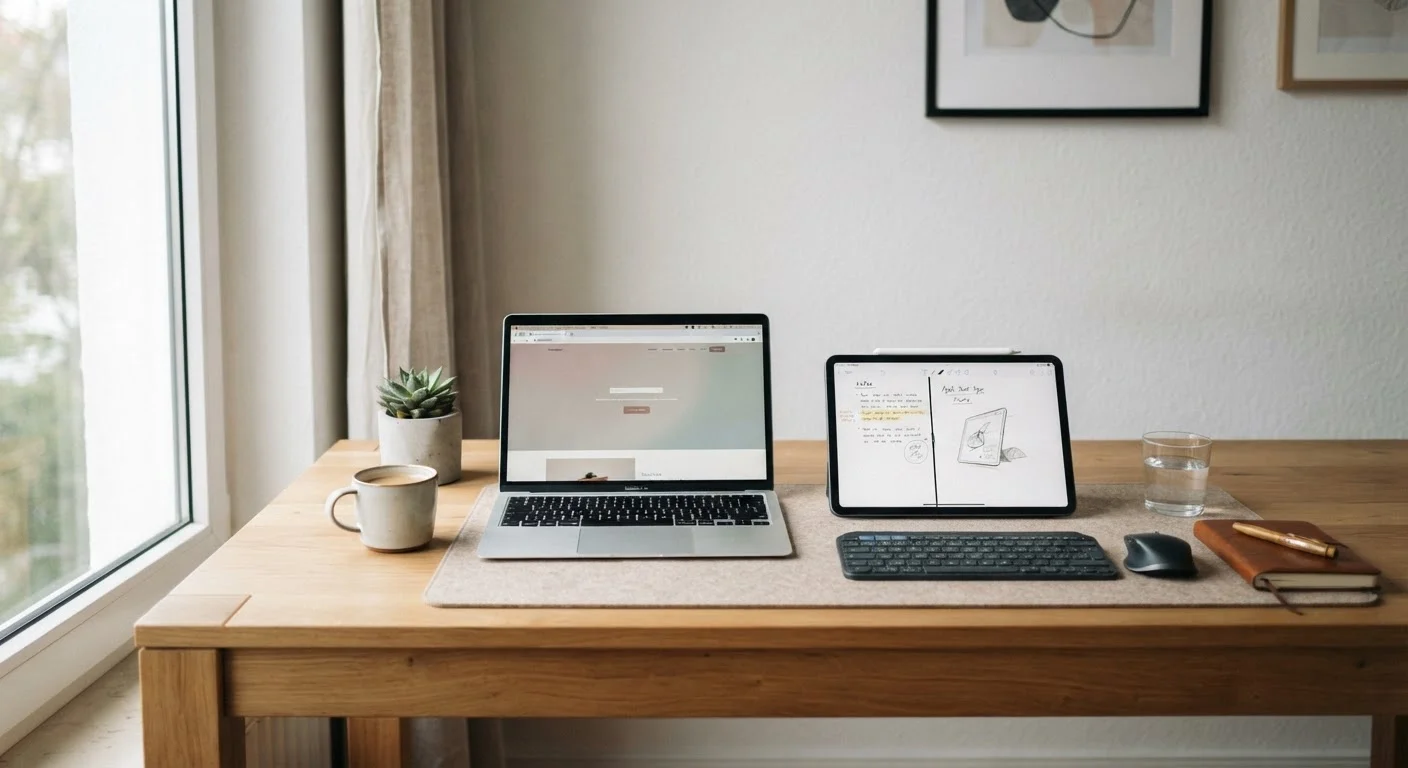
Laptops remain the stronger choice for home users who type frequently, juggle multiple applications, or need broad software compatibility. Tablets are a genuinely capable alternative for lighter daily use - browsing, video calls, reading, and streaming - especially when portability within the home matters. Neither device is universally superior; the gap has narrowed significantly, and many households benefit from understanding both before committing.
| Best for | Recommended |
|---|---|
| Those who type, multitask, or need full desktop apps | Laptop |
| Light home users focused on browsing, video, and reading | Tablet |
| Households prioritizing portability and battery life | Tablet |
| Anyone who manages files, spreadsheets, or local software | Laptop |
Why This Choice Is Harder Than It Used to Be
A few years ago, choosing between a laptop and a tablet for home use was straightforward: tablets were for casual content consumption, laptops were for getting things done. That line has blurred considerably. Tablets now support detachable keyboards, split-screen multitasking, and productivity apps that rival desktop software. Meanwhile, laptops have become thinner, lighter, and longer-lasting on a charge.
Still, real differences remain - and understanding them helps you get more out of whichever device you already own, or make a clearer choice if you're weighing an upgrade. Most everyday home tasks fall into a predictable set: browsing the web, video calls, streaming, light document work, email, and social media. Both device types handle these, but not always equally well.
For a fuller picture of how your devices interact with your home network, see how devices talk to each other.
Where Laptops Still Have an Edge
Laptops retain meaningful advantages in three areas: keyboard input, file management, and software breadth.
Typing and input: A built-in, full-travel keyboard makes sustained writing - emails, documents, forms - noticeably faster and less fatiguing than a touchscreen or an add-on tablet keyboard. If you regularly type more than a few sentences at a time, this matters more than most people expect.
File and folder management: Laptops give you a traditional file system that's easy to navigate, copy from, and organize. Tablets often abstract this behind app silos, making it harder to move files between applications or connect to external storage reliably.
Software compatibility: Many specialized tools - certain video editors, accounting programs, browser extensions, and work-issued software - are only available for a full operating system like Windows or macOS. If your household relies on any of these, a laptop is the practical choice.
Make the Most of What You Have
If you already own one of these devices, optimizing your current setup is often more valuable than switching. Adjusting display settings, managing background apps, and ensuring your operating system is current can meaningfully extend performance and security. Check out settings most people overlook before assuming you need a new device.
It's also worth noting that laptops typically have more accessible ports - USB-A, HDMI, SD card slots - which reduces the need for adapters and docks that tablets often require.
Where Tablets Genuinely Compete
For a significant portion of everyday home use, tablets hold their own - and in some ways outperform laptops.
Portability within the home: Moving between the couch, kitchen, and bedroom is easier with a tablet. The lighter weight and no-hinge form factor make casual use more comfortable for extended periods.
Battery life: Many tablets sustain longer active use per charge than similarly priced laptops, though this varies by model and workload.
Video calls and media: Front-facing cameras on tablets are often positioned more naturally for video calls when the device is propped up. Streaming, reading, and browsing are smooth and intuitive on a large touchscreen.
Simplicity: For household members who find traditional computing intimidating, tablets offer a gentler interface with fewer moving parts - literally and figuratively. Fewer background processes and a curated app ecosystem can mean less maintenance over time.
| Criterion | Laptop | Tablet | |
|---|---|---|---|
| Typing comfort | Built-in full keyboard - strong | Touchscreen only; keyboard add-on optional | |
| Portability within home | Moderate - clamshell, heavier | High - lightweight, no hinge | |
| Software compatibility | Broad - most desktop apps | Limited to app store ecosystem | |
| File management | Full file system access | App-siloed; less flexible | |
| Video calls and streaming | Capable - good screen options | Often natural camera angle; smooth | |
| Battery life (typical use) | Varies; often 6-10 hours | Often 8-12 hours | |
| Setup and maintenance | More complex; more configurable | Simpler interface; fewer settings |
The Keyboard Question and Hidden Costs
One of the most common ways people try to bridge the gap is by pairing a tablet with a Bluetooth or clip-on keyboard. This can work well, but it's worth being clear-eyed about the trade-offs.
First, keyboard accessories add cost - sometimes substantially - to the total price of a tablet setup. Second, the typing experience on most tablet keyboards is still less consistent than a laptop's built-in keyboard, particularly for longer sessions. Third, carrying or positioning a tablet with an attached keyboard often becomes awkward in ways a clamshell laptop isn't.
That said, for users who type only occasionally and want a keyboard available when needed, the combination is a reasonable compromise. Just factor in the accessory cost when comparing total prices.
You should also consider longevity. Both laptops and tablets have finite software support windows, and when updates stop, security risks increase. The real lifespan of consumer electronics varies by platform and manufacturer, so it's worth researching support timelines before purchasing either device type.
Practical Guidance for Home Users
Rather than thinking in terms of which device is objectively better, the more useful question is: what does your household actually do most often?
- Heavy email, documents, or spreadsheets? A laptop will serve you significantly better.
- Mainly streaming, browsing, and video calls? A tablet handles this comfortably.
- Do you run specific software for work or a hobby? Check whether it's available on tablet platforms before assuming it transfers.
- Do multiple people share one device? Laptops typically offer more robust user account separation.
For homes where connectivity is a consideration, matching your internet plan to your household's real usage can be just as important as the device itself - a slow connection limits both equally.
Finally, whichever device you use, a handful of overlooked settings can meaningfully improve performance and security. Tech settings most people never adjust are often the easiest wins available, regardless of whether you're on a laptop or a tablet.
The content on this site is provided for informational purposes only and should not be considered a substitute for professional advice. While we strive to provide accurate and up-to-date information, we make no guarantees regarding its completeness or accuracy. Always consult a qualified professional for advice specific to your circumstances before making any decisions.