

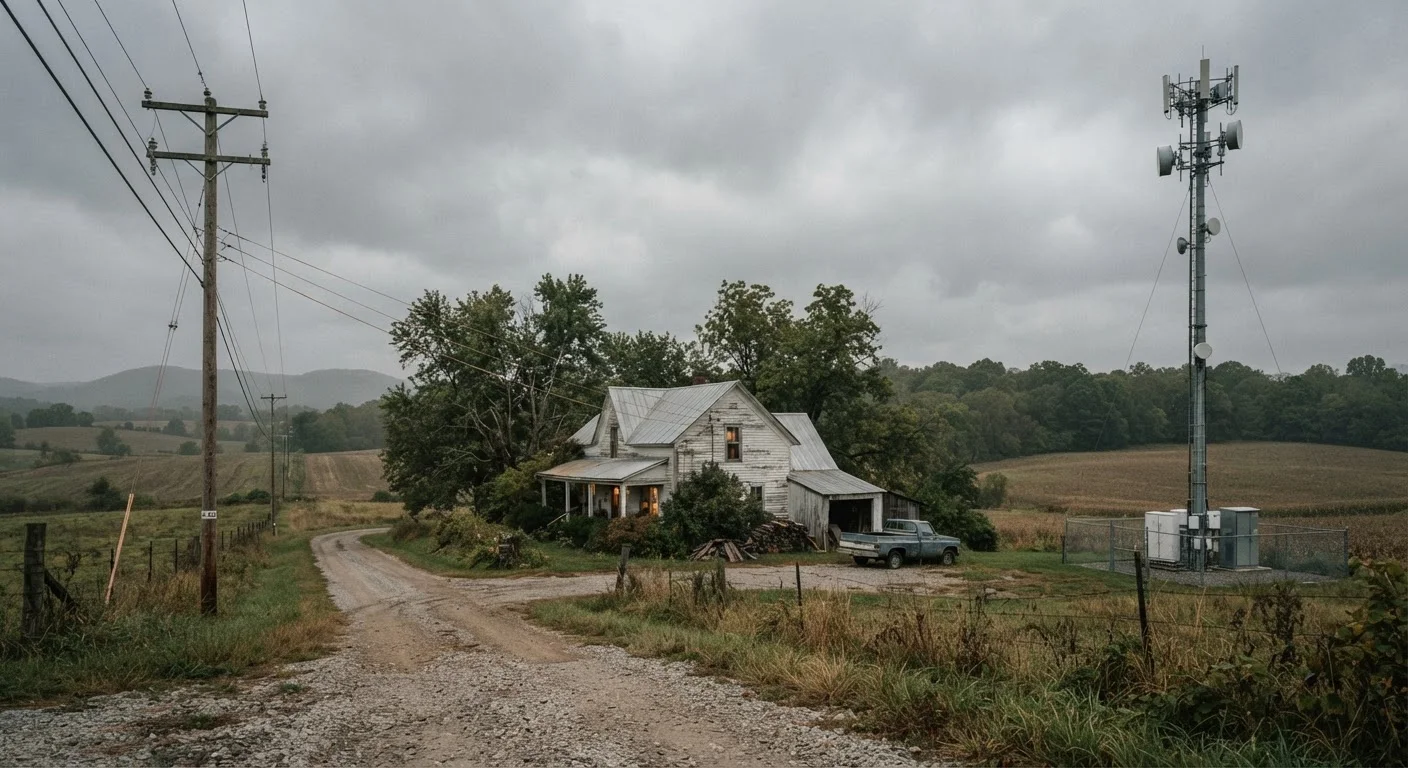
Option A
DSL (Digital Subscriber Line)
The legacy landline option with wide rural reach.
Best for: Households already served by telephone infrastructure who need a low-cost, consistent - if modest - connection.
Option B
Fixed Wireless Access (FWA)
The antenna-based alternative gaining ground in underserved areas.
Best for: Homes and small businesses in areas with a clear line of sight to a nearby wireless tower and a need for faster speeds than DSL can deliver.
How Each Technology Actually Works
Understanding what separates DSL from fixed wireless starts with the physical layer - how the signal gets from a provider's network to your home.
DSL travels over the same copper telephone lines that have crisscrossed the country for decades. A device called a DSLAM at your provider's central office converts digital data into signals that ride existing phone wiring to your modem. No new infrastructure is needed at the street level - which is exactly why DSL reaches so many rural addresses. The tradeoff is physics: copper degrades signal over distance, so the farther your home is from the nearest central office or remote terminal, the slower your connection will be. Addresses more than 3-4 miles from a DSLAM often receive only a few megabits per second, even when the plan advertises higher speeds.
Fixed wireless access (FWA) works more like a private Wi-Fi link between a tower and your home. A provider installs a small antenna or receiver on or near your roof that communicates with a nearby cell or broadband tower using licensed or unlicensed radio spectrum. That signal is then converted to a standard internet connection inside your home. Because there's no cable to run, providers can expand coverage more quickly than with DSL - but the signal depends on a relatively clear path between the tower and your antenna. Obstructions like dense tree canopy, hills, or neighboring buildings can weaken or block the connection entirely. Satellite internet faces some similar environmental challenges, though its obstructions are atmospheric rather than terrestrial.
| Criterion | DSL | Fixed Wireless |
|---|---|---|
| Infrastructure | Existing copper telephone lines | Radio signal from nearby tower |
| Typical download speed | 1-100 Mbps | 25-300 Mbps |
| Typical upload speed | 1-10 Mbps (asymmetric) | 5-50 Mbps |
| Typical latency | 20-50 ms (stable) | 30-100 ms (variable) |
| Line-of-sight requirement | None | Yes - obstructions reduce performance |
| Weather sensitivity | Low | Moderate (rain, foliage) |
| Rural availability | Very broad | Growing, but patchy |
| Typical monthly cost | $30-$60 | $50-$100 |
| Contract flexibility | Often annual contracts | Often month-to-month |
Speed, Latency, and Reliability: A Realistic Picture
ISP marketing often presents theoretical peak speeds. Real-world performance is shaped by distance, congestion, and local conditions.
DSL speeds in practice typically fall between 1 Mbps and 100 Mbps for downloads, with most rural DSL users receiving 10-25 Mbps. Upload speeds are significantly lower - often 1-5 Mbps - because standard DSL is asymmetric, meaning the technology allocates more bandwidth to downloads than uploads. For basic browsing, email, and standard-definition video this is workable, but video calls and cloud backups can feel sluggish. Latency (the delay between sending a request and receiving a response) on DSL is generally stable, running around 20-50 milliseconds under normal conditions.
Fixed wireless speeds vary more widely. Providers using older 4G LTE infrastructure commonly offer 25-100 Mbps downloads; newer deployments using 5G millimeter-wave or CBRS (Citizens Broadband Radio Service) spectrum can reach 200-300 Mbps. Latency on fixed wireless is typically higher than DSL - often 30-100 ms - and can spike during peak usage when towers become congested. Rain and heavy foliage can also attenuate the signal, causing brief speed drops or interruptions. Neither technology approaches the consistent gigabit-class speeds described in our fiber vs. cable comparison, but both are functional for most household tasks.
21 million
Americans lacking broadband access
The FCC's 2022 Broadband Deployment Report estimated at least 21 million Americans still lacked access to fixed broadband at 25/3 Mbps thresholds, with rural areas disproportionately affected.
25/3 Mbps
FCC minimum broadband definition
The FCC has historically defined fixed broadband as 25 Mbps download / 3 Mbps upload - a threshold many rural DSL connections still fall short of.
~40%
Rural homes without cable or fiber
According to FCC data, roughly 40% of rural locations lack access to cable or fiber broadband, leaving DSL and fixed wireless as the primary alternatives.
Installation, Equipment, and Ongoing Costs
Cost structures differ between the two technologies in ways that aren't always obvious from advertised monthly rates.
With DSL, setup is relatively straightforward: a technician may need to activate the line at a junction box, and you'll receive a modem (rented or purchased). Because the copper infrastructure already exists, installation fees are usually modest. Monthly prices for rural DSL plans commonly range from roughly $30 to $60, though this varies by provider and plan tier. Equipment rental fees - typically $10-$15 per month for a modem - can add meaningfully to the total cost over time; buying a compatible modem outright often reduces long-term expenses.
With fixed wireless, a technician must mount and aim the external antenna, which can involve roof access and a longer initial appointment. Installation fees range widely - some providers waive them for promotional periods, while others charge $75-$200 upfront. Monthly rates tend to be somewhat higher than DSL, often $50-$100, though rural broadband expansion programs have pushed some providers to offer more competitive pricing. Many fixed wireless plans carry data caps or network management policies that throttle speeds once a monthly threshold is crossed - a critical detail to examine before signing. Our guide to reading wireless plan fine print explains what to watch for in any service agreement.
For households that plan to use wired connections to reduce Wi-Fi variability, see when Ethernet still makes sense - the same principles apply whether your gateway is a DSL modem or a fixed wireless router.
Check Actual Address Availability, Not Just ZIP Code
ISP coverage maps are often drawn at the ZIP code or census block level, which can overstate how many individual addresses actually receive a usable signal. Before committing to either DSL or fixed wireless, request an address-level serviceability check from the provider and, where possible, ask about the specific speeds typically delivered to homes in your immediate area - not just the advertised maximum. This is especially important for fixed wireless, where tower distance and terrain vary street by street.
The content on this site is provided for informational purposes only and should not be considered a substitute for professional advice. While we strive to provide accurate and up-to-date information, we make no guarantees regarding its completeness or accuracy. Always consult a qualified professional for advice specific to your circumstances before making any decisions.