

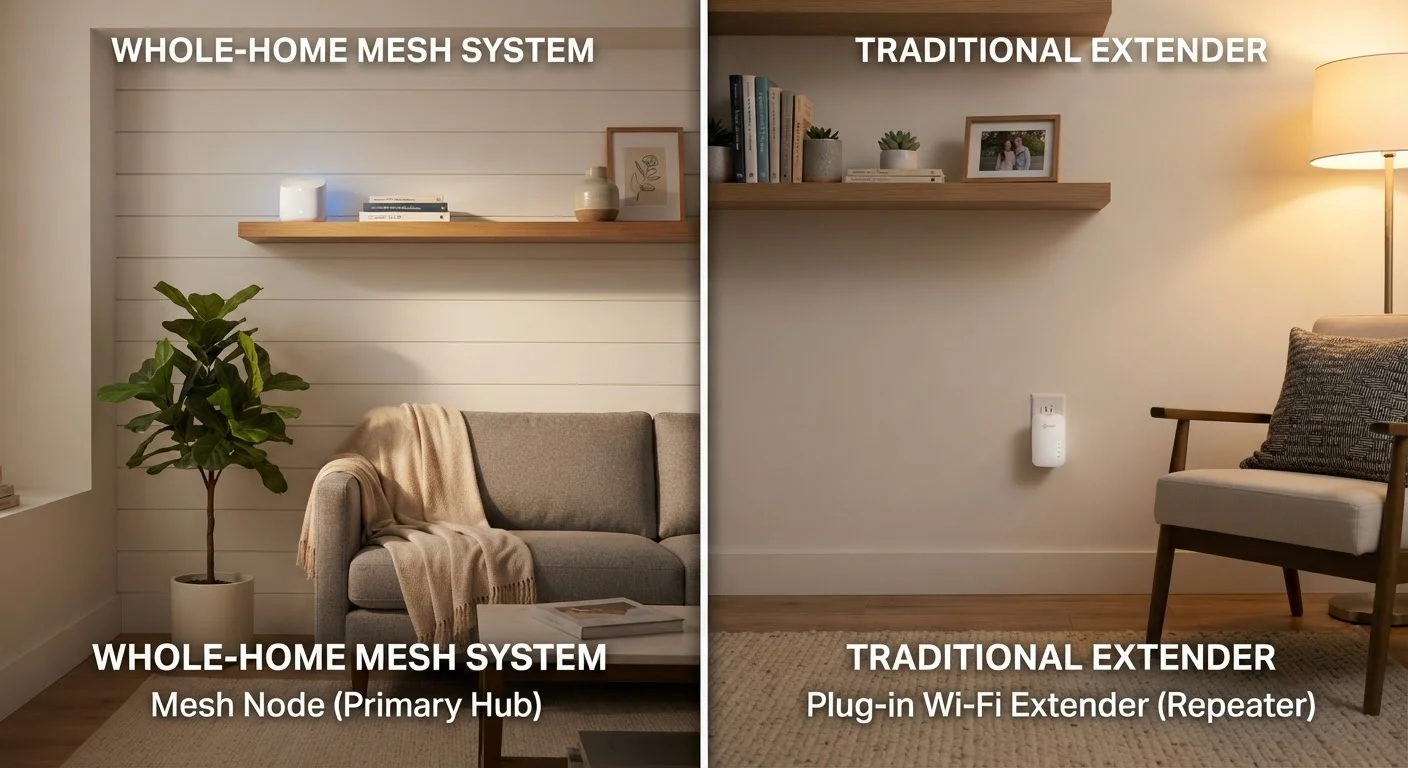
Option A
Mesh Wi-Fi System
The whole-home network solution built for seamless coverage.
Best for: Larger homes, multi-story layouts, or households with many devices that need consistent, fast connections throughout.
Option B
Wi-Fi Range Extender
The quick, low-cost fix for a single stubborn dead zone.
Best for: Smaller homes or apartments where one specific area - a garage, back bedroom, or patio - falls just outside the router's reach.
The Core Problem: Why One Router Often Isn't Enough
A single router placed in one spot is designed to radiate signal outward in all directions - but walls, floors, appliances, and sheer distance weaken that signal quickly. The result is familiar: fast Wi-Fi in the living room, frustratingly weak signal in the back bedroom or basement.
Both mesh systems and range extenders exist to solve this coverage gap, but they approach the problem from very different angles. Understanding how each works mechanically is the key to knowing which one actually fits your situation. For a deeper look at what affects your connection before the signal even leaves the router, see why your home Wi-Fi may feel slow even on a fast plan.
How Mesh Systems Work
A mesh Wi-Fi system replaces your single router with two or more coordinated nodes. One node connects to your modem; the others are placed around your home. Critically, all nodes share the same network name (SSID) and communicate with each other - and with your devices - as a single unified system.
The nodes use a dedicated communication channel (called a backhaul) to talk to each other, which means the bandwidth your devices receive isn't significantly degraded as the signal hops between nodes. When you walk from one room to another, the system automatically hands your device off to the nearest node without you noticing a disruption.
This architecture makes mesh systems well-suited to large homes, open floor plans with many walls, and households running a high number of connected devices simultaneously. For strategies beyond just hardware, getting reliable Wi-Fi in every room without rewiring covers practical placement and supplemental approaches.
| Criterion | Mesh Wi-Fi System | Wi-Fi Range Extender |
|---|---|---|
| Network name (SSID) | Single unified network | Often creates a second network |
| Device handoff | Automatic and seamless | Manual or inconsistent |
| Speed impact | Minimal with dedicated backhaul | Often roughly halved |
| Upfront cost | Higher (multi-node kit) | Lower (single device) |
| Setup complexity | Moderate (may replace router) | Low (plug in and configure) |
| Best coverage area | Large or multi-story homes | Small homes, single dead zones |
| Scalability | Add nodes as needed | Limited - multiple extenders degrade further |
How Range Extenders Work
A Wi-Fi range extender (sometimes called a repeater or booster) works differently: it picks up your existing router's signal and rebroadcasts it. It doesn't create a new network from a shared backhaul - it amplifies and retransmits whatever signal it receives.
This creates two practical trade-offs. First, the extender typically creates a second network with a different name (e.g., "HomeNetwork_EXT"), so your device may not switch to it automatically as you move around - you may need to manually connect. Second, because the extender uses part of its wireless bandwidth to communicate with the router and part to serve your devices, throughput (the actual data speed you experience) is often roughly halved compared to what the router delivers directly.
That said, for a modest dead zone - a detached garage, a back porch, or one far bedroom - an extender can be a practical, low-cost fix. If you're also weighing whether a wired connection to that problem area might be more reliable, Ethernet still makes sense in specific situations.
~50%
Typical throughput loss with a range extender
Because extenders use the same radio to receive and retransmit, available bandwidth to connected devices is commonly reduced by around half, according to general networking engineering principles.
2,000-6,000 sq ft
Typical mesh system coverage range
Most multi-node mesh kits are marketed to cover homes in this size range, with additional nodes available to extend coverage further.
70%+
US homes with more than 10 connected devices
Industry research consistently finds that the majority of American households now operate more than ten Wi-Fi-connected devices, increasing the demand for stable whole-home coverage.
Head-to-Head: Key Differences at a Glance
The table in the previous section lays out the structural differences, but the practical impact on your daily experience deserves emphasis. Mesh systems excel at consistency - the same strong signal follows you through the house. Extenders excel at simplicity - plug in, connect, done.
One factor often overlooked: setup complexity. A mesh system typically requires replacing or bypassing your existing router entirely, which may conflict with equipment provided by your ISP. Some ISPs allow you to put their modem into "bridge mode" to hand off routing duties to a mesh system; others restrict this. Before purchasing a mesh system, it's worth confirming your ISP's policy. For background on what your ISP equipment actually does, understanding home internet connection types provides useful context.
Check Your ISP Equipment Before You Buy
Many ISPs supply a combination modem-router (sometimes called a "gateway"). If you add a mesh system, you'll often need to put the ISP gateway into bridge mode - disabling its routing functions - to avoid a conflict called double NAT, which can cause slowdowns and connectivity issues. Not all ISPs support this, and some charge fees for equipment changes. Confirm your ISP's policy before purchasing any whole-home Wi-Fi system.
Which One Is Right for Your Home?
The honest answer depends on three variables: your home's square footage and layout, how many devices connect simultaneously, and how much you're willing to spend upfront versus tolerate in ongoing frustration.
A small apartment or single-story home under roughly 1,500 square feet with one dead zone is a reasonable candidate for an extender. A two-story home over 2,000 square feet, or any home where people are streaming video, video conferencing, and gaming at the same time in different rooms, is a much better fit for a mesh system.
If you're in a rural or lower-coverage area and your internet type itself is the limiting factor - not just your in-home Wi-Fi - the hardware solution matters less than the connection itself. In those cases, comparing DSL versus fixed wireless options may be more immediately relevant.
Neither technology guarantees a perfect experience. Mesh systems cost more and require more setup; extenders are cheaper but trade off speed and seamlessness. Matching the right tool to your actual layout is the most reliable path to fewer dead zones and less frustration.
The content on this site is provided for informational purposes only and should not be considered a substitute for professional advice. While we strive to provide accurate and up-to-date information, we make no guarantees regarding its completeness or accuracy. Always consult a qualified professional for advice specific to your circumstances before making any decisions.