

Our Verdict
For most households planning to stay with the same ISP for two or more years, purchasing a compatible modem and router tends to reduce overall costs. Renters provide ISPs a steady revenue stream that rarely delivers proportional value to the customer. That said, renting remains a reasonable choice for short-term situations or when ISP-specific hardware is required.
Homeowners or long-term renters on stable internet plans who want to reduce recurring monthly costs without sacrificing performance.
What ISPs Charge for Equipment - and Why It Adds Up
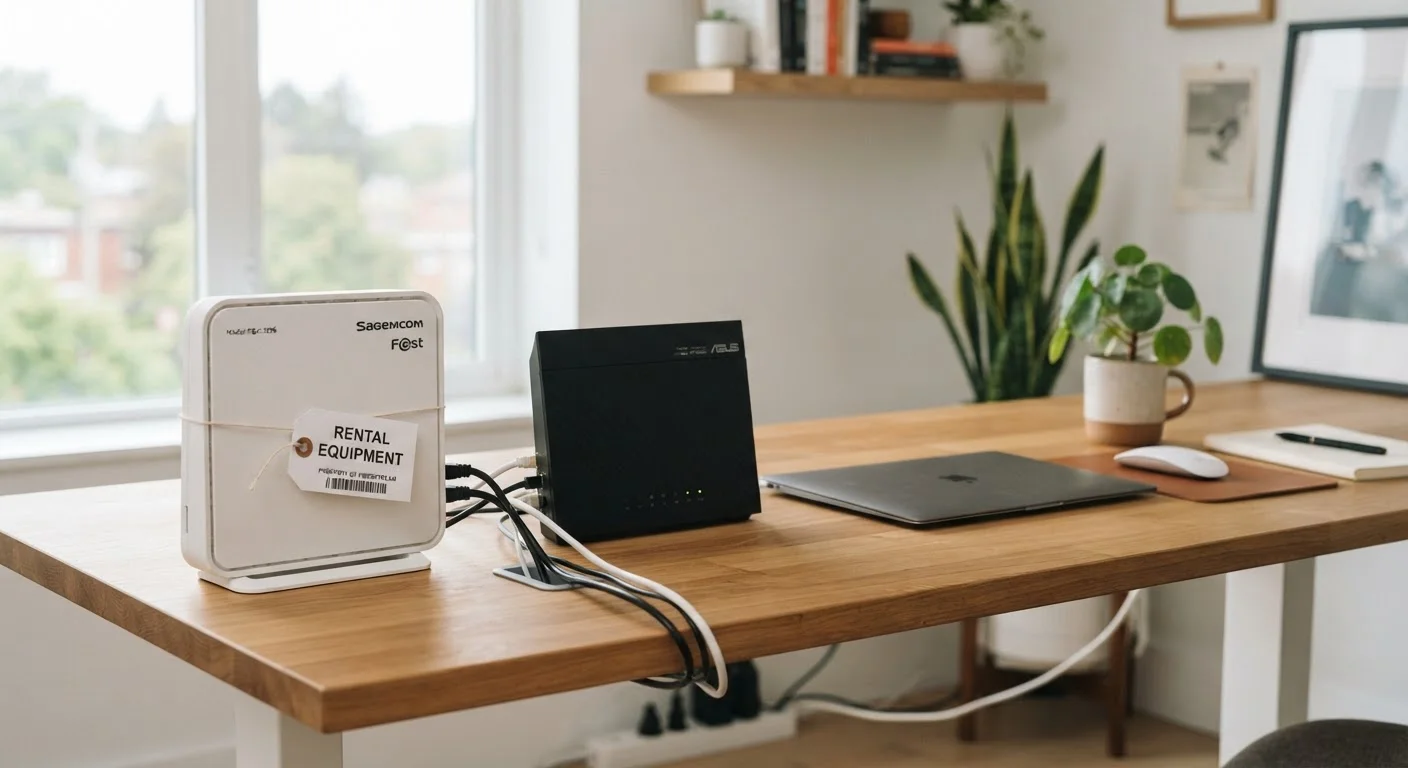
When you sign up for home internet service, most providers offer to supply a modem, a router, or a combined gateway device for a monthly rental fee. These fees are typically presented as a convenience, but they function as a recurring cost that continues indefinitely as long as you use the service.
Common rental fees range from roughly $10 to $20 per month depending on the provider and device type. Over the course of a year, that translates to $120-$240 spent on equipment you never own. Over three years, the figure can exceed $600 - often far more than the retail price of a comparable device you could purchase outright.
This math is straightforward, but ISP billing statements rarely highlight it. Equipment fees are usually a separate line item, making them easy to overlook when you're focused on the advertised plan rate. For a broader look at how ISP pricing can mislead consumers, see our article on home internet myths that cost households money.
No upfront hardware cost to get started
Renting requires no initial investment beyond the first month's fee, making it accessible for households setting up service quickly or on a tight budget.
ISP handles troubleshooting and replacements
If a rented device fails, the provider is typically responsible for sending a replacement, reducing the burden on the customer to diagnose hardware issues.
Equipment may be updated by the ISP over time
Some providers replace rental devices when their network upgrades, meaning renters may receive newer hardware without additional cost, though this varies by ISP.
Required for certain ISP technologies
Fiber and some cable services use proprietary equipment that isn't sold separately, making ISP-provided hardware the only compatible option regardless of cost preference.
The Case for Renting: When It Actually Makes Sense
Renting isn't always the wrong choice. There are genuine scenarios where it offers practical advantages over ownership.
First, rented equipment typically comes with ISP support. If the device fails or causes connectivity issues, the provider is generally responsible for troubleshooting and replacement - at no additional charge. This can be valuable for households that prefer not to deal with hardware diagnostics.
Second, some ISP technologies - particularly fiber services and certain cable configurations - require proprietary hardware that isn't available for purchase separately. In these cases, the rental is effectively mandatory, and comparing it to a purchasing option isn't applicable.
Third, if you move frequently or plan to switch providers within a year or two, the math shifts. The upfront cost of owned equipment may not be recovered before you change services. Speaking of switching, our guide to switching internet providers without the headaches covers what to do with rented equipment when you leave a provider.
Monthly fees accumulate into significant long-term costs
At $10-$20 per month, equipment rental fees can total $360-$720 over three years - often two to three times the retail cost of an equivalent purchased device.
You build no equity in the equipment
Rental payments provide access but no ownership; if you stop paying or switch providers, you return the device with nothing to show for the fees paid.
Less control over hardware configuration
ISP-supplied gateways often have locked-down settings, limiting your ability to customize network security, parental controls, or traffic management options.
ISP may supply older or lower-performing hardware
Rented devices are not always the newest models, and some providers continue deploying older equipment that may underperform relative to what you're paying for in your speed plan.
Owning Your Equipment: Long-Term Trade-Offs to Understand
Purchasing a modem and router that are certified compatible with your ISP plan is typically the more economical path over a multi-year horizon. The break-even point - where your purchase cost equals what you would have paid in rental fees - usually falls between 12 and 24 months depending on the devices and fees involved.
Check ISP Compatibility Lists Before Buying
Every major cable and DSL internet provider maintains a list of modems and routers approved for use on their network. These lists are updated periodically as network standards evolve. Purchasing a device not on your ISP's approved list can result in slower speeds, intermittent connectivity, or refusal of service activation. Always verify compatibility with your specific provider and plan tier before completing any purchase.
Beyond cost, owned equipment often provides more configuration flexibility. Consumer-grade routers purchased separately frequently offer more advanced settings for network security, traffic prioritization (QoS), and device management than ISP-supplied gateways.
The key limitation is longevity tied to ISP plan changes. If your provider upgrades its network infrastructure - for example, moving to a new DOCSIS standard for cable internet - older modems may become incompatible, requiring a new purchase. This doesn't happen frequently, but it's a real consideration. Additionally, you're responsible for your own troubleshooting and replacement costs if the equipment fails outside a manufacturer warranty.
$120-$240
Typical annual modem rental cost per household
Based on common ISP equipment fee ranges of $10-$20 per month charged by major U.S. cable and internet providers.
12-24 months
Average break-even period for purchased equipment
The point at which the upfront cost of a purchased modem and router is offset by avoided rental fees, based on typical retail device pricing.
Making the Decision: A Practical Framework
Before purchasing equipment, confirm three things: that your ISP allows customer-provided devices on your specific plan, that the device is on the provider's approved compatibility list, and that the device supports your current speed tier. ISPs publish these lists on their websites, and using an unapproved device can result in reduced speeds or service issues.
For households on cable or DSL internet who plan to stay with their provider for more than 18 months, ownership is generally worth evaluating. For those on fiber, satellite, or services with proprietary equipment requirements, renting may be the only practical option regardless of preference.
It's also worth separating the modem from the router in your thinking. Some households rent a combined gateway but could benefit from purchasing a standalone router for better Wi-Fi coverage, while keeping the ISP modem if it's required. This hybrid approach can reduce fees while improving network performance.
The content on this site is provided for informational purposes only and should not be considered a substitute for professional advice. While we strive to provide accurate and up-to-date information, we make no guarantees regarding its completeness or accuracy. Always consult a qualified professional for advice specific to your circumstances before making any decisions.